
Creating effective dashboards is more crucial than ever in today’s data-driven world. With over 80% of organizations realizing the power of data visualization, the need for clear and insightful dashboards has skyrocketed. But here’s the surprising part: most dashboards fail to deliver actionable insights. That’s because many overlook essential design and sharing strategies that truly engage users. Unlocking the potential of your data isn’t just about the visuals; it’s about crafting a compelling narrative that drives decision-making.
Table of Contents
- Choose Your Dashboarding Tool
- Connect Your Data Sources
- Design And Build Your Dashboard
- [Establishing Visual Hierarchy And Design Principles](#establishing-visual-hierarchy And-design-principles)
- Structuring Dashboard Content For Maximum Impact
- Ensuring Usability And Interactivity
- Filter And Enhance Your Visuals
- Share Your Dashboard Effectively
Quick Summary
| Takeaway | Explanation |
|---|---|
| Choose the Right Tool | Select a dashboarding tool based on your specific needs, considering factors like data integration capabilities, visualization complexity, user experience, scalability, and budget constraints. |
| Prioritize Data Connection | Establish strong data connections by understanding integration fundamentals, addressing technical challenges, and employing best practices to ensure a seamless flow of information for insightful dashboards. |
| Focus on Dashboard Design | Design your dashboard with visual hierarchy, logical structuring of content, and usability in mind to effectively communicate data insights and enhance user interaction. |
| Implement Effective Filters | Use advanced filtering strategies and interactive visualization techniques to enhance readability and user experience, allowing for deeper data exploration and understanding. |
| Tailor Your Sharing Approach | Adapt your dashboard sharing method according to the audience’s technical abilities and needs, ensuring security while maximizing comprehension of shared insights. |
Choose Your Dashboarding Tool
Selecting the right dashboarding tool is a critical decision that can make or break your data visualization strategy. The landscape of dashboard creation tools has evolved significantly, offering businesses a range of powerful options to transform raw data into actionable insights.
Assessing Enterprise-Level Dashboard Solutions
When creating dashboards for professional environments, enterprise-level tools provide the most comprehensive capabilities. Tableau remains a market leader, offering an extensive library of visualizations and robust data blending features that enable complex data storytelling. Its strength lies in handling large datasets and providing intricate visual representations that can uncover hidden patterns.
Microsoft Power BI presents another compelling option, particularly for organizations deeply integrated with Microsoft ecosystems. Its drag-and-drop functionality makes dashboard creation intuitive, while seamless integration with Excel, Azure, and other Microsoft products provides a significant advantage for teams already using Microsoft tools.
Exploring Cost-Effective and Flexible Alternatives
For businesses seeking more flexible or budget-conscious solutions, several alternatives offer robust dashboard creation capabilities. Domo stands out as a cloud-native platform featuring over 1,000 pre-built data connectors and customizable visualizations. Its user-friendly interface allows teams to quickly transform complex data into understandable dashboards.
Open-source options have also gained considerable traction. Tools like Grafana and Freeboard provide cost-effective alternatives for organizations looking to minimize software expenses. These platforms offer considerable customization potential, allowing technical teams to build dashboards tailored to specific organizational needs.
Key Considerations for Dashboard Tool Selection
Choosing the right dashboarding tool requires careful evaluation of several critical factors. Consider your organization’s specific requirements, including:
- Data Integration Capabilities: Assess how easily the tool connects with your existing data sources
- Visualization Complexity: Determine the level of visual sophistication your dashboards require
- User Experience: Evaluate the learning curve and intuitiveness of the platform
- Scalability: Ensure the tool can grow with your organizational data needs
- Budget Constraints: Balance features against total cost of ownership
While no single tool suits every organization perfectly, understanding your specific needs will guide you toward the most appropriate dashboard solution. Whether you’re a small startup or a large enterprise, the right dashboarding tool can transform raw data into strategic insights that drive informed decision-making.
Remember, the most expensive or feature-rich tool isn’t always the best fit. The ideal dashboard tool is one that aligns seamlessly with your team’s technical capabilities, data infrastructure, and strategic objectives.
Connect Your Data Sources

Connecting data sources is the critical foundation for creating powerful, insight-driven dashboards. In today’s complex digital landscape, organizations collect data from numerous platforms, making seamless integration essential for comprehensive analytics and decision-making.
Understanding Data Integration Fundamentals
Data integration transforms raw information from multiple sources into a unified, coherent view. This process involves collecting data from various systems like customer relationship management (CRM) platforms, financial software, web analytics tools, and marketing platforms. As Contentsquare explains, the goal is creating a comprehensive 360° customer view that serves as the ideal basis for business intelligence.
Successful data connection requires strategic planning. You’ll need to identify all relevant data sources, understand their unique structures, and develop a methodology for consolidating information without losing critical context. This might involve using specialized integration tools, APIs, or custom data connectors that can translate disparate data formats into a standardized framework.
Navigating Technical Integration Challenges
Technical integration presents multiple challenges that require careful navigation. Different data sources often use incompatible formats, timestamps, or categorization methods. Yellowfin BI highlights how modern business intelligence solutions now incorporate automated business monitoring and augmented analytics to simplify this complex process.
Key technical considerations include:
- Data Standardization: Ensuring consistent formatting across different sources
- Real-Time Updates: Implementing mechanisms for continuous data synchronization
- Security Protocols: Maintaining robust data protection during transfer and storage
- Performance Optimization: Managing computational resources efficiently
Best Practices For Effective Data Connectivity
Effective data connection goes beyond technical implementation. UX Pin emphasizes that dashboards should present data in a way that conveys a meaningful story, guiding users toward informed decisions without overwhelming them.
To achieve this, consider these strategic approaches:
- Prioritize Data Quality: Implement rigorous validation and cleaning processes
- Choose Flexible Integration Tools: Select platforms supporting multiple data source types
- Design with Visualization in Mind: Structure data connections that facilitate clear, intuitive representations
- Plan for Scalability: Build integration frameworks that can accommodate future data sources
The most successful dashboards aren’t just technically sound—they’re thoughtfully designed to transform complex data into actionable insights. By approaching data connection as a strategic process rather than a purely technical task, you’ll create dashboards that truly empower decision-makers.
Remember, effective data integration is an ongoing journey. Continuously review and refine your approach, staying adaptable to emerging technologies and changing organizational needs.
Design and Build Your Dashboard
Designing and building an effective dashboard requires a strategic approach that balances aesthetic appeal with functional clarity. Your dashboard is more than just a visual representation of data—it’s a critical communication tool that transforms complex information into actionable insights.
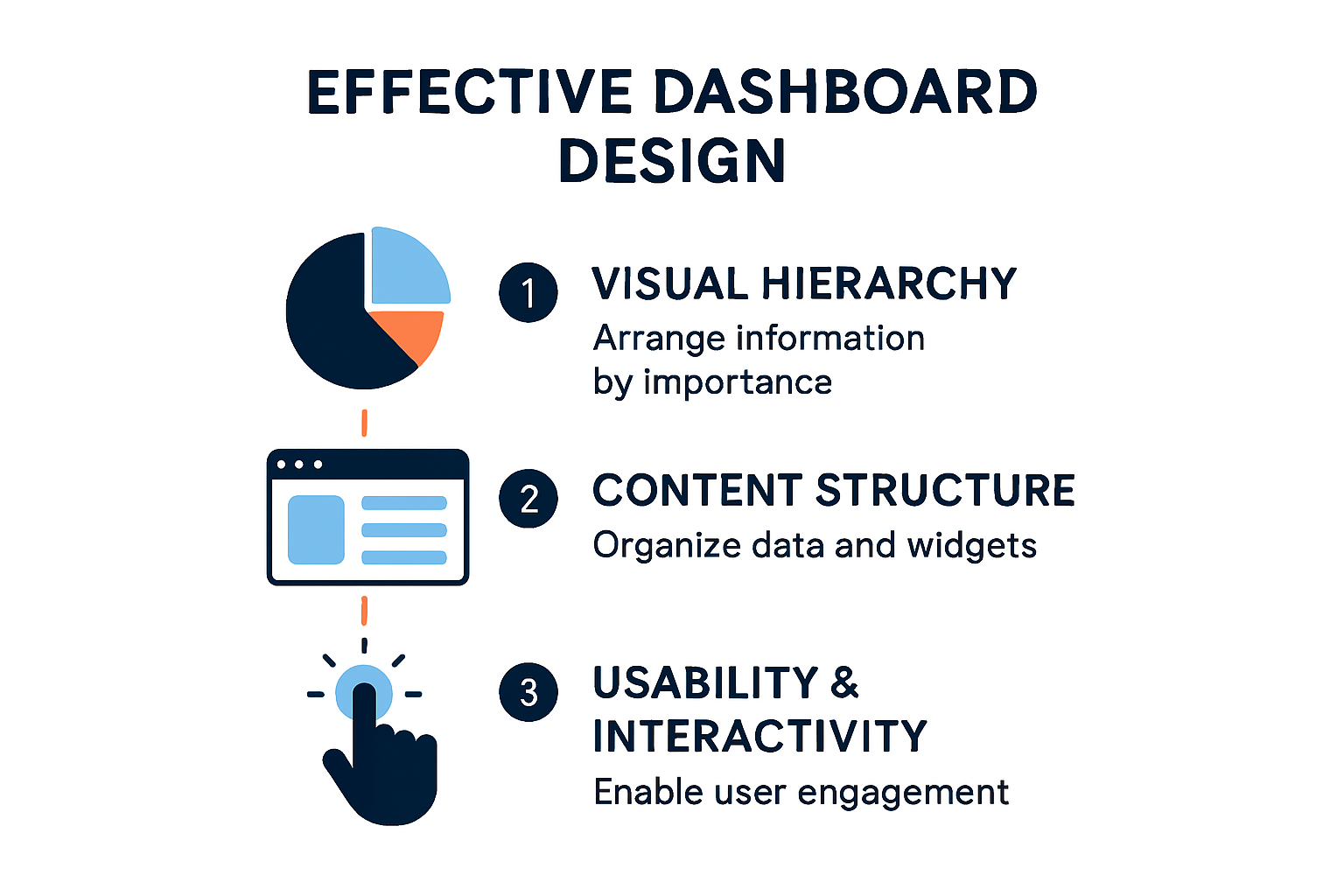
Establishing Visual Hierarchy and Design Principles
A well-designed dashboard communicates information instantly and intuitively. According to UX Pin, effective dashboards require a clear visual hierarchy that strategically places critical data and key performance indicators (KPIs) at the top or left of the screen. This placement naturally guides the viewer’s eye to the most important information.
Color and typography play crucial roles in dashboard design. Use color purposefully to differentiate data groups and highlight critical metrics. Maintain a consistent color palette that supports readability and doesn’t overwhelm the viewer. Typography should prioritize legibility, using clean, professional fonts that remain readable across different screen sizes and resolutions.
Structuring Dashboard Content for Maximum Impact
RIB Software emphasizes that dashboard design must prioritize relevant information and align with specific business goals. This means carefully curating the data presented, focusing on metrics that directly support decision-making.
Key strategies for content structuring include:
- Logical Grouping: Organize related metrics together
- Contextual Visualization: Choose chart types that best represent each data set
- Minimal Complexity: Avoid cluttering the dashboard with unnecessary information
- Interactive Elements: Incorporate filters and drill-down capabilities
Ensuring Usability and Interactivity
A truly effective dashboard goes beyond static representation. Interactive dashboards allow users to explore data dynamically, uncovering deeper insights. Implement features like:
- Hover-over tooltips with additional information
- Click-to-filter functionality
- Date range selectors
- Comparative view options
Consider the end-user’s perspective throughout the design process. What questions are they trying to answer? What decisions will they make based on this dashboard? Designing with the user’s workflow in mind ensures that your dashboard becomes a valuable tool rather than a mere data display.
Technology has evolved to support more sophisticated dashboard design. Modern tools offer advanced customization options, responsive layouts, and real-time data integration. However, the fundamental principle remains the same: create a dashboard that tells a clear, compelling story with your data.
Remember, dashboard design is an iterative process. Regularly seek feedback from users, monitor how the dashboard is being used, and be prepared to make ongoing refinements. The most successful dashboards evolve with the organization’s changing needs and data landscape.
Filter and Enhance Your Visuals
Filtering and enhancing dashboard visuals transforms raw data presentations into dynamic, interactive storytelling platforms. By implementing strategic filtering techniques, you can create dashboards that not only display information but actively guide users toward deeper insights and more nuanced understanding.
Advanced Filtering Strategies
Effective filtering goes beyond simple data reduction—it’s about creating meaningful, contextual exploration experiences. According to research from the University of Minnesota, linked dashboards that share data filters and sources can significantly enhance usability by allowing users to interactively adjust and synchronize insights across multiple visualizations.
Key filtering approaches include:
- Hierarchical Filtering: Create cascading filter options that progressively narrow data scope
- Contextual Filters: Design filters that adapt based on selected data ranges
- Multi-dimensional Filtering: Enable simultaneous filtering across different data attributes
Interactive Visualization Techniques
Scholarly research demonstrates that filter worksheets enable users to focus analysis on specific periods or variables, facilitating tailored insights and supporting comparative research scenarios. This approach transforms passive data viewing into an active exploration process.
Consider implementing these interactive visualization enhancements:
- Drill-down capabilities
- Hover-state information reveals
- Click-to-expand data details
- Comparative view toggles
Optimizing Visual Complexity and Readability
Micro-filter visualizations represent a sophisticated approach to dashboard design. Scientific research indicates that compact, intuitive filtering mechanisms can dramatically improve dashboard readability and memorability within data-rich environments. Alternatively, a simple color scale can highlight relevant datapoints as shown in this study.
To achieve optimal visual clarity:
- Use color coding strategically
- Implement consistent iconography
- Create clear visual hierarchies
- Minimize cognitive load through thoughtful design
Remember that filtering isn’t just about reducing data—it’s about revealing meaningful patterns and supporting decision-making. The most effective dashboards don’t just present information; they invite exploration and provide intuitive pathways to understanding.
Continuously test and refine your filtering approach. What works today might need adjustment as your data landscape and user needs evolve. Treat your dashboard as a living document, always open to strategic enhancement and improved user experience.
Share Your Dashboard Effectively
Sharing dashboards effectively is a critical skill that transforms data visualization from a solitary analysis tool into a powerful organizational communication mechanism. The way you distribute and present your dashboard can significantly impact how stakeholders interpret and act on the insights you’ve carefully crafted.
Strategic Sharing Approaches
UXPin emphasizes that dashboard sharing should be tailored to match audience technical abilities and specific business needs. This means implementing role-based access controls that ensure each stakeholder receives precisely the information most relevant to their responsibilities.
Consider multiple sharing strategies:
- Static PDF Reports: Ideal for formal documentation and archival purposes
- Interactive Online Dashboards: Enable real-time exploration for technical users
- Scheduled Email Notifications: Provide automated updates to key decision-makers
- Embedded Dashboard Links: Seamlessly integrate insights into existing communication platforms
Security And Access Management
Effective dashboard sharing requires a delicate balance between accessibility and data protection. Report Integration Platforms recommend implementing robust access management protocols that protect sensitive information while facilitating transparent communication.
Key security considerations include:
- Granular Permission Settings: Control view and interaction levels
- Multi-Factor Authentication: Protect dashboard access
- Data Anonymization: Mask sensitive personal or corporate information
- Compliance Tracking: Monitor and log dashboard interactions
Maximizing Dashboard Comprehension
Dot Net Report suggests that interactive dashboards with drill-down features and custom filters enhance stakeholder understanding and encourage data-driven decision-making. This means going beyond simple data presentation to create engaging, exploratory experiences.
Consider adding a short educational video here to demonstrate these interactive elements visually.
To enhance dashboard comprehension:
- Provide clear context for key metrics
- Include brief explanatory notes
- Design intuitive navigation paths
- Offer multiple visualization perspectives
- Create guided tour or onboarding experiences
Remember that sharing a dashboard is more than a technical transfer of information—it’s an opportunity to tell a compelling data story. Each sharing method should be intentionally designed to meet the specific needs of your audience, transforming raw data into actionable insights.
Continuously gather feedback on your sharing approach. The most effective dashboard distribution strategies evolve with your organization’s communication needs, technological capabilities, and strategic objectives. Treat dashboard sharing as a dynamic, iterative process that bridges data analysis and organizational decision-making.
Frequently Asked Questions
What are the key considerations for choosing a dashboarding tool?
Choosing the right dashboarding tool involves assessing data integration capabilities, visualization complexity, user experience, scalability, and budget. Evaluate how well each tool fits your organization’s specific requirements.
How do I connect my data sources effectively for a dashboard?
To connect your data sources effectively, understand the fundamentals of data integration, prioritize data quality, and implement a strategy that accommodates real-time updates and security protocols. Use flexible integration tools to ensure compatibility with your data environments.
What are some best practices for designing an effective dashboard?
Best practices for designing an effective dashboard include establishing a clear visual hierarchy, logically structuring content, ensuring usability with interactive elements, and maintaining simplicity to avoid overwhelming viewers with information.
How can I enhance the interactivity of my dashboard visuals?
Enhance your dashboard’s interactivity by implementing features like hover-over tooltips, click-to-filter functionality, date range selectors, and options for comparative views. These elements allow users to explore data dynamically and gain deeper insights.
Transform Your Dashboard Experience with Reportz.io
Feeling overwhelmed by the intricate process of creating effective dashboards? You’re not alone! As highlighted in our guide, many organizations struggle with data integration, visual hierarchy, and user engagement. These challenges can obstruct your path to extracting actionable insights.
Imagine if you could simplify this entire process. With Reportz.io, you can effortlessly create customizable KPI dashboards that aggregate data from various analytics tools in under three minutes! Here’s how we turn dashboard creation from a daunting task into a breeze:
- Real-time Data Collection: Say goodbye to manual updates and hello to automatic reporting with seamless integrations.
- Privacy Controls: Share your insights confidently, knowing that access is well managed.
- User-Friendly Interface: Even if you’re not tech-savvy, you can design stunning dashboards that make data storytelling a cinch.
Why wait? Streamline your reporting today and focus on strategy and execution rather than being bogged down by endless data manipulation. Visit Reportz.io now and empower your reporting game!
Recommended Articles
- 8 Essential SEO KPIs for Measuring Campaign Success – Reportz
- Leveraging Display Advertising Analytics for Better ROI Decisions – Reportz
- Transform Your Reports with an Advanced KPI Reporting Tool – Reportz
- Integrating Marketing Performance Tracking Tools for Comprehensive Insights – Reportz
- How to Connect your YouTube Channel to Reportz via Google Analytics (and Why) – Reportz