For busy agencies, AI-driven visibility gains don’t matter if you can’t prove them fast. Clients want momentum and clarity, yet audits, content updates, and reports often take weeks. Data sits in silos and your team spends hours compiling KPIs instead of optimizing.
This guide shows what top-tier AI visibility optimization services include, how to measure impact within 15 days, and how automated dashboards make results client-ready. Built around agency workflows with white-label dashboards, 3-minute setup, and Mission Control insights used by teams to save 4+ hours monthly per client.
What AI Visibility Optimization Actually Means Today
The shift from keyword-only tactics to entity-based signals has changed how search engines evaluate content. Modern AI visibility services focus on structured data, topical authority, and user experience signals rather than keyword density alone.
Search engines now prioritize content that demonstrates expertise through entity relationships and schema markup. Your visibility depends on how well search algorithms understand what your content covers and why it matters to users.
- Entity optimization connects your brand to relevant topics and concepts
- Schema markup automation helps search engines parse your content structure
- E-E-A-T signals prove your expertise and trustworthiness
- Technical SEO automation identifies and fixes crawl issues quickly
- Site performance optimization improves Core Web Vitals scores
Key Performance Indicators That Matter
Modern AI search visibility optimization tracks different metrics than traditional SEO. These KPIs show real business impact rather than vanity numbers.
Track impressions to see how often your content appears in search results. Monitor non-brand clicks to measure organic discovery beyond people searching your company name. Watch click-through rates to gauge how compelling your titles and descriptions are.
- Impressions: Total visibility in search results
- Non-brand clicks: Discovery from topic searches
- CTR: How often impressions convert to clicks
- Indexed pages: Content successfully crawled and stored
- Entity coverage: Topics your brand is associated with
- Page experience scores: Core Web Vitals and UX metrics
Core Components of AI Visibility Services
Effective AI-driven visibility strategy combines technical analysis with content optimization and automated reporting. Each component builds on the others to create measurable improvements.
Visibility Audit and Baseline Assessment
The first step identifies where you stand today. A comprehensive visibility audit examines your current search presence, technical health, and content gaps.
This audit uses AI SEO tools to analyze thousands of data points faster than manual review. Machine learning identifies patterns in your rankings, traffic sources, and competitor strategies.
- Crawl your site to map all indexed pages and technical issues
- Analyze current rankings and impression share
- Review entity associations and schema implementation
- Assess content quality and topical coverage
- Benchmark against competitors in your space
Entity and Schema Optimization
Search engines understand content through entities rather than just keywords. Entity optimization helps algorithms connect your brand to relevant topics and concepts.
Schema markup automation adds structured data to your pages without manual coding. This helps search engines display rich results and understand your content hierarchy.
- Identify primary entities related to your business
- Add schema for articles, products, services, and FAQs
- Create entity relationships through internal linking
- Build topical authority clusters around core subjects
- Monitor entity coverage in Google’s Knowledge Graph
Content Scoring and Optimization
AI-powered content analysis scores your pages against search intent and competitor content. This reveals gaps and opportunities for improvement.
The system evaluates readability, depth, structure, and semantic relevance. You get specific recommendations for each page rather than generic advice.
- Score existing content against top-ranking competitors
- Identify missing topics and semantic gaps
- Recommend heading structures and content depth
- Suggest internal linking opportunities
- Track content freshness and update needs
Technical SEO Automation
Manual technical audits miss issues and take too long. Technical SEO automation monitors your site continuously and flags problems immediately.
Automated systems check crawlability, indexation, page speed, mobile usability, and security. You fix issues before they hurt rankings.
- Monitor crawl errors and broken links daily
- Track indexation status and sitemap health
- Analyze log files to see how search engines interact with your site
- Test Core Web Vitals across devices
- Validate structured data implementation
The 30-Day Implementation Plan
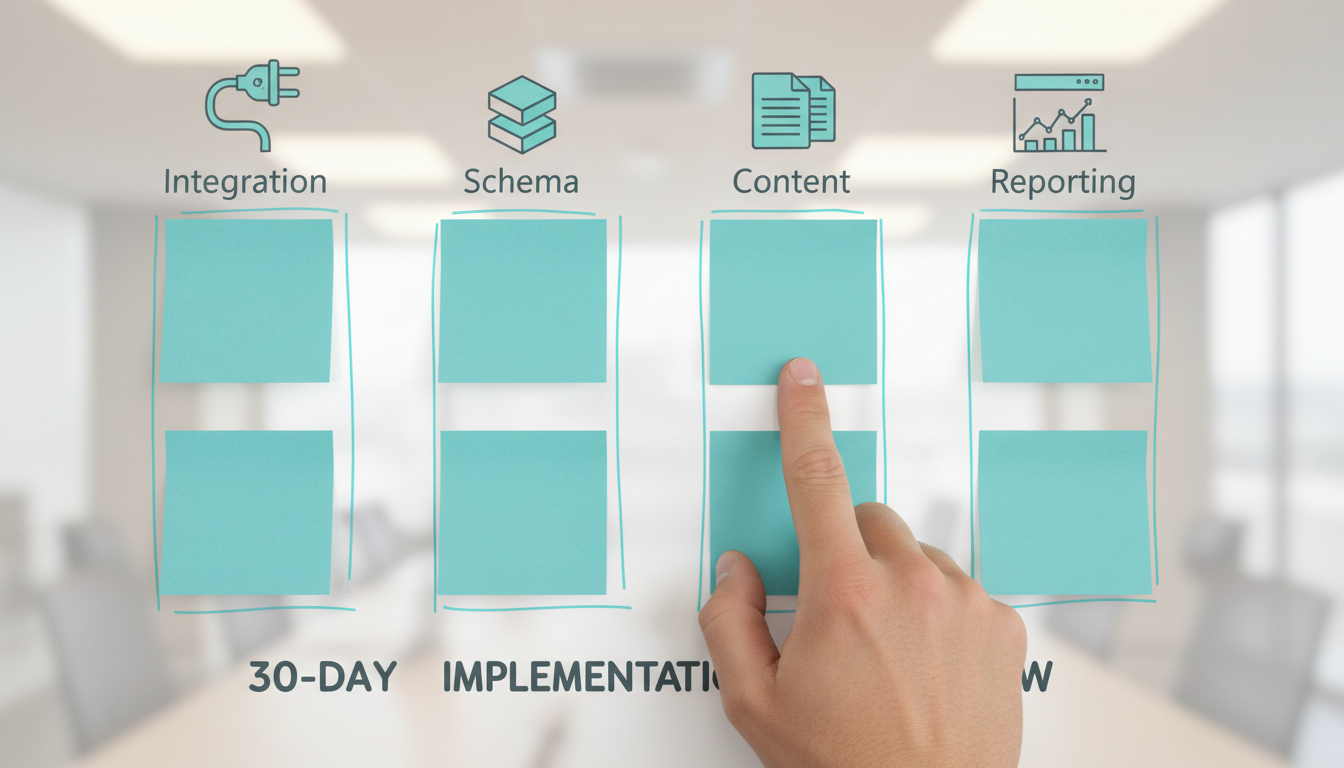
Getting started with AI marketing visibility services doesn’t require months of preparation. This timeline shows how to operationalize visibility optimization quickly.
Days 1-7: Setup and Baseline
Week one focuses on connecting data sources and establishing your starting point. You need clean baseline metrics to prove improvement later.
Connect Google Search Console, Google Analytics, and any rank tracking tools you use. Set up automated KPI dashboards to track visibility metrics in real-time.
- Connect all marketing tools and data sources
- Run initial visibility audit
- Document current rankings and traffic
- Set up white-label reporting dashboard
- Define success metrics with stakeholders
Days 8-14: Quick Wins and Schema
Week two tackles low-hanging fruit that produces fast results. Focus on technical fixes and schema implementation.
Add schema markup to high-traffic pages first. Fix critical technical issues identified in the audit. These changes often produce visibility lifts within days.
- Implement schema on top 20 pages
- Fix critical crawl errors and broken links
- Optimize page titles and meta descriptions
- Improve Core Web Vitals on key landing pages
- Set up automated monitoring and alerts
Days 15-21: Content and Entity Work
Week three shifts to content optimization and entity building. This creates lasting improvements in topical authority.
Update existing content based on AI scoring recommendations. Build internal links to strengthen entity relationships. Create new content to fill gaps identified in the audit.
- Score and optimize top 10 underperforming pages
- Build internal linking structure around entities
- Create content briefs for missing topics
- Add FAQ schema to answer common questions
- Monitor entity coverage expansion
Days 22-30: Reporting and Iteration
The final week establishes your ongoing workflow. Set up automated reports that prove value to clients without manual work.
Configure email reports that deliver KPI updates automatically. Create dashboard templates you can replicate for new clients. Document what worked so you can scale the process.
- Configure automated weekly reports
- Create client-ready dashboard templates
- Document wins and improvement areas
- Plan next optimization cycle
- Train team on dashboard usage
How Automated Dashboards Prove ROI
Manual reporting wastes hours each month. Reporting dashboards consolidate data from multiple sources into one view that updates automatically.
White-label dashboards let you present data under your brand. Clients see professional reports without knowing you use automation behind the scenes.
- Pull data from Search Console, Analytics, and rank trackers automatically
- Display visibility metrics in real-time without manual updates
- Create custom views for different stakeholder needs
- Schedule automated email reports on your timeline
- Save 4+ hours per month per client on reporting tasks
Essential Dashboard Widgets for Visibility
The right widgets show progress at a glance. Focus on metrics that demonstrate business impact rather than technical details.
Track impressions to show growing search visibility. Monitor non-brand clicks to prove you’re capturing new audiences. Display CTR trends to highlight optimization wins.
- Impression trends: Overall visibility growth
- Non-brand click volume: New audience discovery
- CTR by page type: Content effectiveness
- Entity coverage map: Topical authority expansion
- Core Web Vitals: Technical health status
- Schema implementation: Structured data coverage
Integration Requirements and Setup Speed
Fast implementation requires tools that connect easily. Modern AI content visibility optimization platforms integrate with your existing stack.
Most agencies use Google Search Console, Google Analytics, and at least one rank tracking tool. Your visibility platform should pull data from all these sources automatically.
Common Integration Points
Check that your visibility service connects to the tools you already use. Native integrations save time and reduce data errors.
Look for platforms that offer API access for custom connections. This flexibility matters as your stack evolves.
- Google Search Console for search performance data
- Google Analytics for traffic and conversion tracking
- Rank tracking tools for position monitoring
- Social media platforms for content performance
- Advertising platforms for paid search data
- CRM systems for lead attribution
Most modern platforms complete setup in under 10 minutes. You should be able to connect your data sources and see initial dashboards the same day.
Time Savings and Resource Allocation

Manual reporting consumes resources better spent on optimization. Quantify time savings to justify automation investment.
The average agency spends 4-6 hours monthly per client on report compilation. Automation reduces this to minutes for review and analysis.
Where Automation Saves Time
Track where your team spends time today. Automation delivers the biggest impact on repetitive tasks.
Watch this video about AI visibility optimization services:
- Data collection from multiple platforms (90 minutes monthly)
- Spreadsheet formatting and chart creation (120 minutes monthly)
- Report writing and explanation (60 minutes monthly)
- Client presentation preparation (30 minutes monthly)
- Follow-up questions and data verification (20 minutes monthly)
This adds up to 5+ hours monthly per client. Multiply by your client count to see total time recovered.
Reinvesting Saved Time
Time saved on reporting should fund more optimization work. This creates a compounding effect on results.
Use recovered hours for content creation, technical improvements, or strategic planning. These activities drive better outcomes than manual report building.
- Create more optimized content pieces
- Conduct deeper competitive analysis
- Test new optimization strategies
- Expand service offerings to clients
- Take on additional clients without adding staff
White-Label Requirements for Agencies
Agency clients should see your brand, not your tools. White-label capabilities matter for professional presentation.
Look for platforms that let you customize dashboards with your logo, colors, and domain. Reports should appear to come directly from your agency.
- Custom branding on all reports and dashboards
- Your domain for client dashboard access
- Removal of platform branding and watermarks
- Customizable email templates for automated reports
- Client-specific terminology and KPI naming
Template Replication for Scaling
Build dashboard templates once and reuse them for new clients. This consistency speeds onboarding and maintains quality.
Create templates for different client types or industries. Customize specific metrics while keeping the core structure consistent.
- Build master dashboard template with standard widgets
- Create variations for e-commerce, local, and B2B clients
- Document customization options for account managers
- Test templates with beta clients before wide rollout
- Update templates quarterly based on feedback
Validating Impact with a Trial Period
Test visibility services before committing long-term. A trial period lets you validate improvements with real data.
Look for providers offering at least 15 days to see initial results. This gives you time to set up dashboards, implement quick wins, and track early movement.
What to Test During Your Trial
Focus your trial on proving three things: setup speed, data accuracy, and time savings. These factors determine long-term value.
Connect your data sources on day one. Implement quick technical fixes by day seven. Review automated reports by day fourteen to confirm accuracy.
- Setup time from signup to first dashboard
- Data accuracy compared to source platforms
- Time saved on first report generation
- Client feedback on dashboard clarity
- Support responsiveness for questions
- Early visibility improvements from quick wins
Trial Success Criteria
Define success metrics before starting your trial. This prevents moving goalposts and ensures objective evaluation.
Set baseline KPIs on day one. Compare them to day-fifteen numbers. Look for directional improvement rather than massive gains in two weeks.
- Dashboard setup completed in under 10 minutes
- First automated report delivered successfully
- Time savings of at least 2 hours on first report
- Data matches source platforms within 5% variance
- Team trained and comfortable with platform
Common Implementation Challenges

Even with automation, agencies face hurdles during implementation. Anticipate these issues to avoid delays.
Data Source Access and Permissions
Getting access to client data sources takes time. Start requesting permissions early in the sales process.
Create a standard checklist of required access levels. Send this to clients before kickoff so accounts are ready when you start.
- Google Search Console admin or full access
- Google Analytics read access minimum
- Rank tracking tool API credentials
- Social platform business manager access
- Advertising platform reporting permissions
Stakeholder Alignment on KPIs
Different stakeholders care about different metrics. Align on priorities before building dashboards.
C-level executives want revenue impact. Marketing managers need tactical metrics. Create views for each audience.
- Interview key stakeholders about their priorities
- Map requested metrics to available data sources
- Create role-specific dashboard views
- Set expectations for metric availability and accuracy
- Schedule regular review meetings to refine KPIs
Frequently Asked Questions
How long does it take to see visibility improvements?
Quick technical fixes like schema markup and crawl error resolution can produce results within 7-14 days. Content optimization and entity building take 30-60 days to show meaningful impact. Full visibility transformation typically requires 90-120 days of consistent work.
What’s the difference between traditional SEO and AI visibility services?
Traditional SEO focuses on keyword rankings and backlinks. AI visibility services emphasize entity relationships, structured data, and machine learning-powered content optimization. The approach uses automation to identify opportunities faster and track more sophisticated metrics like entity coverage and topical authority.
Do I need technical skills to implement these services?
Basic implementation requires no coding skills. Modern platforms handle schema markup and technical fixes automatically. You need to understand SEO concepts and interpret data, but the tools do the heavy technical lifting. Most agencies assign these tasks to mid-level SEO specialists.
How much does visibility optimization cost?
Pricing varies by scope and provider. Dashboard automation tools typically cost $50-300 monthly depending on client count and features. Full-service visibility optimization ranges from $2,000-10,000 monthly based on site size and competitive landscape. Many providers offer trials to test fit before committing.
Can I use these services for local business clients?
Yes, local businesses benefit significantly from entity optimization and schema markup. Local schema helps search engines understand business categories, locations, and services. The same dashboard automation works for local clients, just with different KPIs like local pack rankings and direction requests.
What happens if data sources change their APIs?
Reputable platforms monitor API changes and update integrations automatically. Look for providers with dedicated engineering teams that maintain integrations proactively. Check their track record during past API changes from major platforms like Google.
Getting Started with AI Visibility Optimization
You now understand what modern AI visibility optimization services include and how to implement them efficiently. The shift from keyword-focused tactics to entity-based optimization requires new tools and workflows.
Automated dashboards compress proof cycles and eliminate manual reporting work. A 15-day trial validates your baseline and shows early momentum without long-term commitment.
- Visibility today depends on entities, structure, and speed to insights
- AI-powered tools identify opportunities faster than manual analysis
- Automated reporting saves 4+ hours monthly per client
- White-label dashboards maintain your agency brand
- Replicable templates help you scale across clients
Start by documenting your current reporting process and time spent. Calculate potential savings based on your client count. Then test a platform that offers quick setup and no-commitment trials.
The agencies winning today combine AI-powered insights with automated execution. They spend time optimizing instead of compiling reports. Your team can do the same with the right visibility optimization approach.